Best Frame Rate for YouTube, TikTok, and Instagram
August 9, 2026
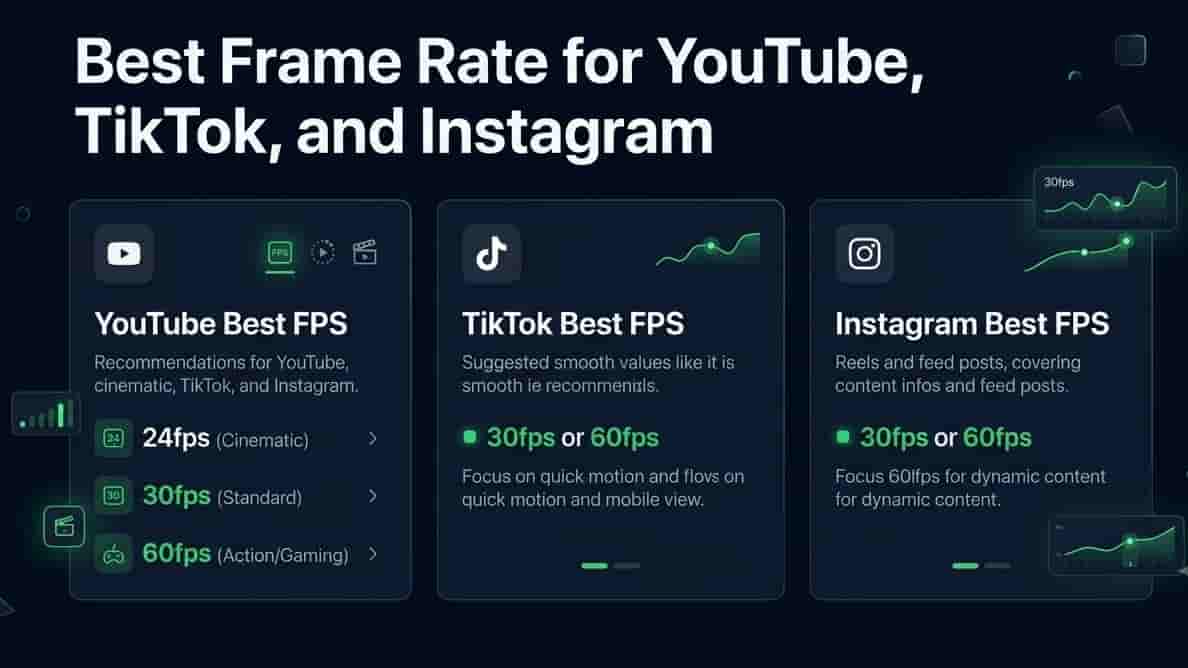
You'd think frame rate would be one of those settings you set once and forget about. Nope. Upload the wrong one and your video can end up looking weirdly choppy, or the platform quietly re-encodes it and it just looks... off. Nobody can quite say why, but something feels wrong.
Let's just settle it, platform by platform, so you're not guessing every time you export.
Best Frame Rate for YouTube
YouTube's actually pretty flexible, but there's a simple rule that covers most people: export at whatever frame rate you filmed in. Don't convert up or down unless you've got a real reason to.
That said, here's the general guidance:
24fps or 30fps - the standard for most talking-head videos, vlogs, and regular content
60fps - better for anything with fast motion, gaming footage, sports, action, that kind of thing
YouTube supports up to 60fps natively without any weird quality loss, so there's no real downside to shooting at 60 if your camera or phone supports it
What FPS Should I Upload to YouTube?
Honestly, the safest answer is just match your source footage. If you filmed at 30fps, export at 30fps. Converting a 30fps video up to 60fps doesn't actually add real motion information, it just interpolates fake frames, and it can end up looking weirdly smooth in a way people notice even if they can't explain why.
YouTube Shorts Frame Rate
Shorts follows the same logic as regular YouTube, 30fps is the safe default, 60fps if your content has a lot of movement. No special Shorts-only frame rate rule here, despite what you might assume.
Best Frame Rate for TikTok
TikTok's a little more forgiving since so much of it gets watched on phones anyway, but there's still a sweet spot.
30fps is the standard most creators use, and it's what TikTok's own upload tools are basically built around
60fps works fine too and can look great for fast-paced content, dance videos, sports clips, anything with quick movement
Avoid uploading anything below 24fps, it can look stuttery on TikTok's compression, more than it would elsewhere
TikTok Video Export Settings
If you're exporting from an editing app before uploading, aim for 1080x1920 (vertical), 30fps or 60fps, and let TikTok handle the rest of the compression. Trying to over-optimize the file yourself usually isn't worth the effort, TikTok re-compresses everything anyway.
Best Frame Rate for Instagram Reels
Reels basically mirrors TikTok's playbook, which makes sense since they're competing for the same content.
30fps is the standard and safest choice
60fps is supported and looks good for fast motion, but isn't required
Vertical format, same as TikTok, 1080x1920
Instagram Reels Video Specs
Keep your bitrate reasonably high before uploading since Instagram compresses pretty aggressively on its end, a higher-quality source file gives their compression more to work with instead of stacking quality loss on quality loss.
24fps vs. 30fps vs 60fps: What's Actually the Difference
Since these numbers get thrown around a lot without much explanation, here's the plain version:
24fps - the classic "cinematic" look, slightly choppier motion, feels like a movie
30fps - the standard, smooth without looking hyper-real, good all-purpose choice
60fps - very smooth, great for fast motion, but can give some footage a "soap opera" look that not everyone likes for regular content
Neither one is objectively better, it depends what you're filming and what feeling you're going for.
Best FPS for Vlogging
Most vloggers stick with 30fps. It's smooth enough to feel natural, doesn't have that overly-smooth look 60fps can sometimes give talking segments, and it's what basically every phone defaults to anyway.
Recommended Frame Rate for Streaming
Slightly different world, but worth mentioning since a lot of creators also stream. 60fps is the standard for anything with real motion, gaming especially, since choppy motion is way more noticeable when it's live and interactive rather than pre-recorded.
What Happens If You Get It Wrong
Not the end of the world, but a few things can go sideways:
Uploading a frame rate the platform doesn't expect can cause it to re-encode awkwardly, sometimes adding stutter that wasn't in your original file
Mixing frame rates within one video, like combining 24fps and 60fps clips without converting them to match, often causes visible judder at the cuts
Converting frame rate after the fact isn't always lossless, so if you do need to change it, a proper converter matters more than people think
FAQ
Does higher frame rate always mean better quality? Not really, quality and frame rate are different things. A high frame rate video can still look bad if the resolution or bitrate is poor.
Should I convert my video's frame rate before uploading? Only if you have a specific reason to, mismatched footage, matching a certain platform requirement, that kind of thing. Otherwise, uploading your source frame rate as-is is usually the better move.
Why does my video look weirdly smooth after uploading? Probably a frame rate mismatch or the platform interpolating frames during processing. Uploading at your native frame rate usually avoids this.
Is 60fps overkill for a normal video? Not overkill exactly, but not necessary either, unless there's fast motion involved. 30fps covers most everyday content just fine.
Convert Your Footage the Easy Way
Filmed something at the wrong frame rate, or need to match clips together before uploading? Our Video FPS Changer handles the conversion without the judder you'd get from just forcing a mismatch.