Gaming Monitor Buying Guide: Refresh Rate, Response Time, and More
July 12, 2026
Introduction
Picking a gaming monitor can feel like learning a new language. Refresh rate? Response time? Panel types? It's enough to make your head spin.
Here's the thing though: you don't need a degree in tech specs to find a great monitor. You just need to know what actually matters for your gaming setup and what's just marketing fluff.
So whether you're wondering if that 144Hz monitor is worth the extra cash or what "1ms" even means in real-world gaming, stick around. I'm breaking all of this down in plain English.
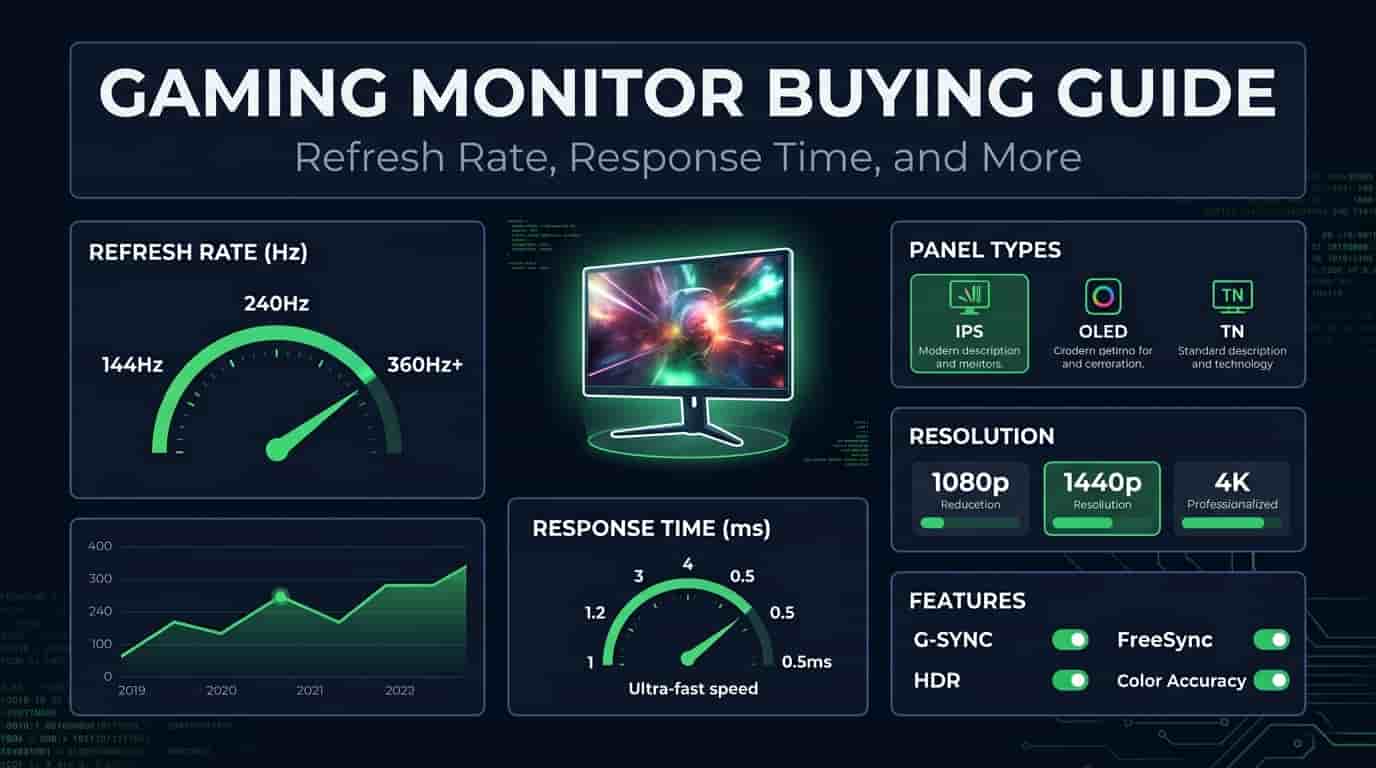
1. Refresh Rate Explained
What it actually means: Your monitor refreshes the image on screen a certain number of times per second. That number? That's your refresh rate, measured in Hertz (Hz).
A 60Hz monitor updates 60 times a second. A 144Hz monitor does it 144 times. The higher the number, the smoother everything looks when stuff starts moving.
Common Refresh Rates
60Hz – Fine for everyday stuff and casual gaming
75Hz – A little smoother, nothing crazy
120Hz – Solid for both console and PC
144Hz – The sweet spot for most PC gamers
165Hz – A nice bump up from 144Hz
240Hz – Competitive players love this
360Hz+ – For the pros (and people with deep pockets)
Why Does Refresh Rate Matter?
You're playing a fast shooter, whipping your mouse around to track enemies. On a higher refresh rate monitor, that motion looks buttery smooth. The screen updates faster, so you can actually follow what's happening instead of guessing where enemies went.
Here's the thing though the jump from 60Hz to 144Hz is HUGE. Like, night and day huge. The jump from 144Hz to 240Hz? Much smaller. You'll notice it, but it's not the same mind-blowing upgrade.
2. Response Time Explained
Response time is basically how fast your monitor's pixels can change colors. Faster = less blur = sharper moving objects.
Common Response Times
1ms – Great for competitive gaming
2–3ms – Good balance of speed and quality
4–5ms – Perfectly fine for most people
Above 5ms – Fine for casual stuff
What's Ghosting?
Ever seen a faint trail behind fast-moving objects? That's ghosting. It happens when pixels can't change colors quickly enough.
You'll notice this most in racing games or fast shooters where stuff zooms across your screen. Modern monitors are way better about this, but it's still worth checking before you buy.
3. Other Important Features
Refresh rate and response time are important, but not for all time. Several other features can have a big impact on your gaming experience.
Resolution
Resolution = how sharp your games look.
1920 × 1080 (Full HD) – Budget-friendly and great for high FPS
2560 × 1440 (QHD) – The sweet spot between looks and performance
3840 × 2160 (4K) – Gorgeous visuals, but your GPU better be ready
If you want high frame rates, 1080p is still amazing. But if you're all about immersive single-player games with gorgeous graphics, 1440p or 4K will blow your mind.
Panel Types
This one's important different panels look and perform differently.
IPS Panels
Amazing colors
Great viewing angles
Good for gaming AND creative work
VA Panels
Deep blacks and high contrast
Great for dark games and movies
A bit slower than IPS
TN Panels
Super fast response times
Cheaper
Colors and viewing angles aren't great
OLED Panels
Incredible contrast and true blacks
Instant response times
Gorgeous picture
Pricey (worth it though)
Adaptive Sync Technology
Screen tearing is annoying especially when your FPS bounces around. Adaptive sync fixes that.
AMD FreeSync
Matches your monitor's refresh rate with your GPU's frame rate. Widely supported and affordable.
NVIDIA G-SYNC
Does the same thing, but for NVIDIA cards. Usually pricier but works great.
Either way, adaptive sync is definitely worth having.
4. How to Choose the Right Gaming Monitor
With so many options out there, it's easy to get caught up in the numbers game. Don't. Think about how you actually game.
For Casual Gamers
If you're into adventure games, indie titles, or the occasional multiplayer match, you don't need to break the bank.
Look for:
1080p or 1440p resolution
75Hz to 144Hz refresh rate
IPS panel for better colors
FreeSync or G-SYNC if available
This gives you a great experience without emptying your wallet.
For Competitive Gamers
Playing a lot of Counter-Strike, Valorant, Fortnite, or Call of Duty? Smoothness and responsiveness become way more important.
Look for:
144Hz, 165Hz, or 240Hz
1ms response time
Adaptive Sync
Low input lag
Quick reality check though: your PC needs to push enough FPS to actually use that high refresh rate. A 240Hz monitor is wasted if your PC can only hit 80 FPS.
For Story-Driven and AAA Games
Not everyone's chasing frame rates. If you're diving into Cyberpunk 2077, Red Dead Redemption 2, or Elden Ring, image quality matters more.
Look for:
1440p or 4K resolution
IPS or OLED panel
HDR if your budget allows
120Hz or higher
This setup gives you an immersive experience while keeping things smooth.
Choosing the Right Screen Size
Size matters (and no, bigger isn't always better).
24-inch – Best for 1080p competitive gaming
27-inch – The sweet spot for 1440p
32-inch – Great for 4K and immersive gaming
34-inch Ultrawide – Perfect for racing, sims, and open-world games
Here's a tip: sitting too close to a giant monitor can actually make it harder to see everything in competitive games. There's a reason many pros stick with 24-inch screens.
5. Common Mistakes to Avoid
Let's save you some regret. Here's what people mess up:
Buying a High Refresh Rate Monitor Without Enough FPS
A 240Hz monitor sounds amazing, but if your PC only pushes 70 FPS... you're wasting money. Check your GPU first.
Ignoring Resolution
Some people only look at refresh rate and forget about image quality. Balance is key both matter.
Picking the Wrong Panel
A fast TN panel is great for esports, but if you edit photos or enjoy cinematic games, you'll want IPS or OLED for the colors.
Forgetting to Change Windows Settings
This happens ALL the time. Your new 144Hz monitor will run at 60Hz until you actually go into display settings and change it. Don't forget this step.
6. Frequently Asked Questions
Is a 144Hz monitor worth buying?
For most gamers? Absolutely. Going from 60Hz to 144Hz is one of the biggest upgrades you can make. Games feel smoother, mouse movement is more responsive, and everything just feels better.
Is 240Hz better than 144Hz?
Yes, but the difference isn't nearly as dramatic as 60Hz to 144Hz. Unless you're a competitive player with a beastly PC, 144Hz or 165Hz is usually the better value.
Which panel type is best for gaming?
It depends on your priorities:
IPS = Best balance of speed and image quality
VA = Best contrast
TN = Fastest (but colors suffer)
OLED = Best overall picture, but expensive
Does a gaming monitor increase FPS?
Nope. Your graphics card and CPU determine FPS. The monitor just shows those frames more smoothly.
Is 1080p or 1440p better for gaming?
If you have a mid-range PC, 1080p is great and helps you hit higher FPS. If your GPU is powerful enough, 1440p looks noticeably sharper without the performance hit of 4K.
Conclusion
Here's the bottom line: focus on YOUR hardware and how YOU actually game.
Stick to your budget, think about what your PC can handle, and find the monitor that fits. For most people, a 27-inch 1440p IPS monitor at 144Hz–165Hz is the ideal all-rounder. Competitive players should target 240Hz, while AAA gamers might prefer 4K or OLED.
The best monitor is the one that makes YOUR games look and feel amazing not the one with the biggest numbers on the box.