The Real Reason Your FPS Drops Only in Certain Games (Not All)
August 31, 2026
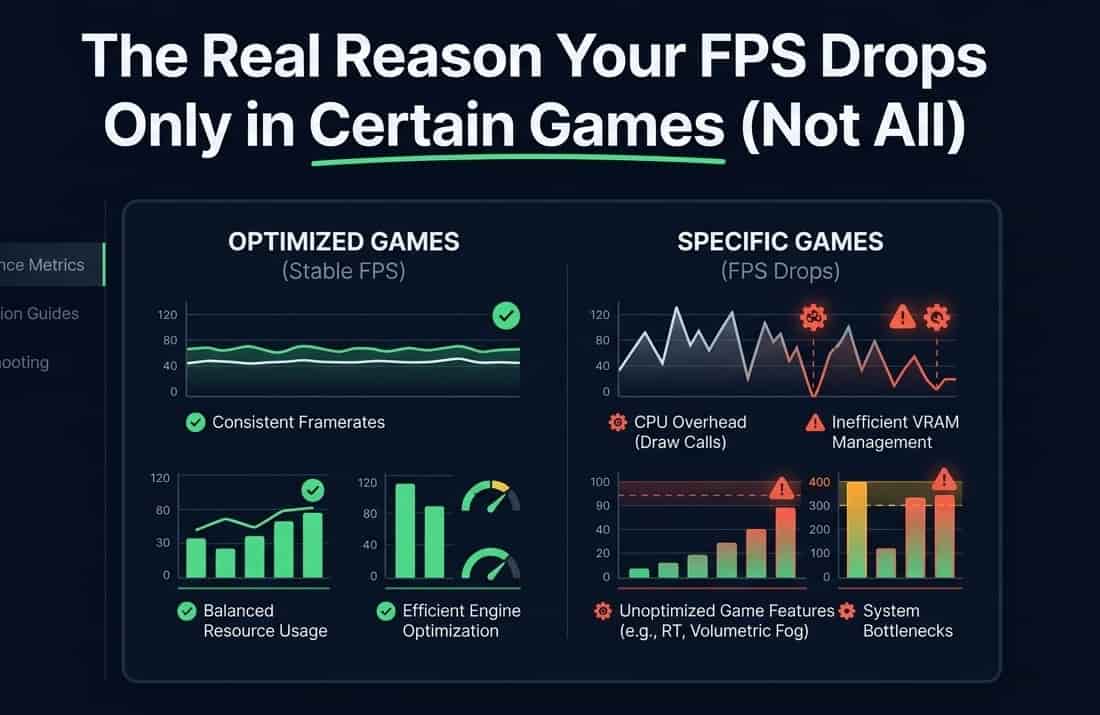
Your PC runs one game at a smooth 140 FPS. You open a different game, same PC, same day, and suddenly you're stuck at 70.
If your graphics card was actually weak, it would struggle everywhere. It doesn't. It's fine in most games.
So why does it fall apart in this one specific game?
The short answer: different games lean on different parts of your PC. When a game leans hard on the one part your PC is weakest in, that's exactly where your FPS falls apart.
Let's break down exactly why, in plain terms.
FPS drops in some games because of a CPU bottleneck, not the GPU
Most people assume low FPS always means "weak graphics card." That's often wrong.
Think of your PC like a kitchen:
The CPU is the chef. It preps ingredients and decides what needs to happen next.
The GPU is the cook. It plates the dish and actually puts it out.
If the chef is slow at prepping, the cook sits there waiting, even if the cook is fast and fully capable. That's a CPU bottleneck. Your GPU has power to spare, but it's not getting fed information fast enough to use it.
This is called being CPU-bound, and it's the single biggest reason your FPS craters in one specific game while staying great in others.
Why some games hit your CPU harder than others
Not every game asks the same amount of work from your CPU.
Heavy on the CPU:
Big open-world games
Games with lots of AI characters
Physics-heavy games
Crowded multiplayer battles
These games constantly calculate what every character is doing, how objects move, and what the game rules say, all before the GPU can even start drawing.
Heavy on the GPU instead:
Games with detailed visuals in smaller, more contained spaces
Games with heavy lighting or ray tracing effects, but simpler world logic
That's why a big open-world game can bring your PC to its knees, while a visually similar but more contained game runs great. It's not about how "demanding" a game looks. It's about what kind of work it's actually asking your hardware to do.
Simple signs of a CPU bottleneck
You don't need special software to notice this. Watch for:
FPS drops hardest during busy moments, big fights, crowded areas, lots happening on screen
Lowering your graphics settings barely helps, or doesn't help at all
Your GPU doesn't seem to be working very hard, even though FPS is low
The game feels stuttery or inconsistent, not just steadily "slow"
Point 2 is the biggest giveaway. Graphics settings mostly control GPU workload. If the CPU is the one falling behind, easing up on the GPU's job doesn't fix anything.
A GPU bottleneck is a completely different situation
Not every FPS drop is bad news, and not every FPS drop is a CPU issue.
Sometimes your GPU really is working at its limit, and that's fine. Signs of a GPU bottleneck:
GPU usage sits close to 100%
FPS is lower than you'd like, but steady, not stuttery
It shows up more at higher resolutions (1440p, 4K) or with heavy effects like ray tracing on
Unlike a CPU bottleneck, a GPU bottleneck usually feels smooth. It's just capped at a lower number. That's a normal, expected kind of limit, not a problem to panic over.
Why the same PC can flip between both bottlenecks
Here's the confusing part: the exact same PC, running the exact same game, can shift from a CPU bottleneck to a GPU bottleneck just by changing the resolution.
At 1080p: the GPU finishes each frame quickly, so it needs a constant, fast stream of instructions from the CPU. This shifts pressure onto the CPU. It's why fast competitive shooters at high frame rates can be surprisingly demanding on an older CPU, even with a decent GPU.
At 4K: the GPU has far more pixels to draw per frame, so it takes longer. That gives the CPU more breathing room. The bottleneck shifts toward the GPU instead.
Same hardware. Same game. Just a different resolution, and a completely different bottleneck.
Why upgrading the "wrong" part barely helps
This explains a common frustration: buying an expensive GPU upgrade and barely seeing any FPS improvement in one particular game.
If that game was already CPU-bound, the GPU was never holding you back
A faster GPU just means more idle time waiting on the CPU
The bottleneck doesn't move just because one part got faster it stays wherever the actual slowdown was
That's why the same upgrade can feel amazing in one game and pointless in another. The upgrade wasn't bad. It just fixed a limitation that specific game didn't have.
Background software can cause the exact same symptoms
Before blaming your hardware, rule out something simpler: overlays, recording software, and background apps.
Game launchers, chat overlays, recording tools, and some anti-cheat systems all use a slice of your CPU while you play
On a CPU already close to its limit, that extra load can be enough to tip you into visible stutters
This is especially worth checking if the problem appeared suddenly, rather than always being there
A newly installed overlay or a forgotten recording app is a much easier fix than a hardware upgrade rule it out first.
Memory speed plays a role too
CPU bottlenecks aren't only about the processor itself.
How fast your system RAM is, and how it's configured, affects how well your CPU can keep feeding your GPU
This matters most in the same CPU-heavy games mentioned earlier
It's part of why two PCs with the same CPU can still perform differently in those specific titles, depending on memory setup
Checking your own bottleneck, step by step
No extra monitoring software needed. Just work through these:
Run our FPS Test in a quiet moment, then during a busy, chaotic moment. A big gap between the two points toward a CPU bottleneck.
Lower your in-game graphics settings. If FPS barely changes, the GPU probably wasn't your limit.
Open Task Manager while gaming. If GPU usage looks noticeably lower than CPU usage, the CPU is likely struggling to keep up.
Try lowering your resolution. A big FPS jump means the GPU was the limit. Barely any change means the CPU already was.
Compare across a few different games, not just one. A CPU bottleneck usually shows up consistently in CPU-heavy genres and barely at all in GPU-heavy ones.
A real-world example, so this isn't just theory
Picture two games on the exact same PC:
Game A - a fast-paced open-world game with hundreds of NPCs, destructible objects, and constant background simulation. Here, the CPU might be doing so much work that the GPU sits at only 60-70% usage while FPS still struggles. Classic CPU bottleneck.
Game B - a linear, visually rich game in tighter spaces, with heavy lighting and detailed textures but far less world simulation. Here, the GPU usage sits near 100% while the CPU barely breaks a sweat. Classic GPU bottleneck.
Same PC. Same day. Two completely different limiting factors, just because the games are built to demand different things.
Does upgrading your CPU always fix a CPU bottleneck?
Usually, yes, but not always by the amount people expect.
A faster CPU with more cores generally helps most in CPU-heavy games, since it can process more instructions per second
Some older games are built to use only a few CPU cores well, so a CPU with many cores but weaker per-core speed might not help as much as expected
Pairing a much faster CPU with an older, weaker GPU can shift the bottleneck back to the GPU, especially at higher resolutions
This is why "just upgrade the CPU" isn't always a complete answer on its own. It helps most when the rest of your system, especially the GPU, is capable of actually using the extra headroom a faster CPU provides.
Putting it together

Frequently asked questions
Does a bigger GPU always fix low FPS?
No. If your bottleneck is the CPU, a stronger GPU just has more spare power with nothing extra to do. The FPS gain in that game can be disappointingly small.
Why does my FPS look fine on paper but the game still feels choppy?
This usually points to uneven frame timing, not a low average FPS. A CPU bottleneck often causes inconsistent frame delivery, so the game feels stuttery even when the number looks acceptable.
Is a CPU bottleneck always bad, or is it sometimes normal?
A small amount is normal in almost any system. It's only a real problem when it noticeably holds back FPS or makes gameplay feel inconsistent.
Can closing background apps help with a CPU bottleneck?
Yes, sometimes meaningfully, especially on CPUs with fewer cores. It won't fix a fundamental hardware mismatch, but it can free up real headroom.
Will the same bottleneck happen on every map or level in the same game?
Not necessarily. Busier areas or more complex scenes can push the CPU harder than calmer sections, which is why FPS can swing noticeably even within one session.
Does playing on a console instead of PC avoid this problem?
Not really, it just becomes less visible. Consoles have a fixed CPU and GPU pairing chosen by the manufacturer to be reasonably balanced for most games, so you don't see the mismatch as often. Developers can still design a game that leans harder on one part than the other, but you can't diagnose or fix it yourself the way you can on PC.
Is it worth upgrading both CPU and GPU together instead of one at a time?
If your budget allows it, yes, this avoids the classic problem of fixing one bottleneck only to immediately hit the other. If you can only upgrade one at a time, testing your current bottleneck first, using the steps above, tells you which upgrade will actually move the needle.
The simple version
Not every FPS drop means your GPU is weak
Different games ask different amounts of work from your CPU and GPU
A CPU bottleneck feels stuttery and barely improves with lower graphics settings
A GPU bottleneck feels smooth but capped, especially at higher resolutions
Once you know which one you're dealing with, upgrading stops being a guessing game.