Ultra Settings That Cost FPS But Change Nothing
September 13, 2026
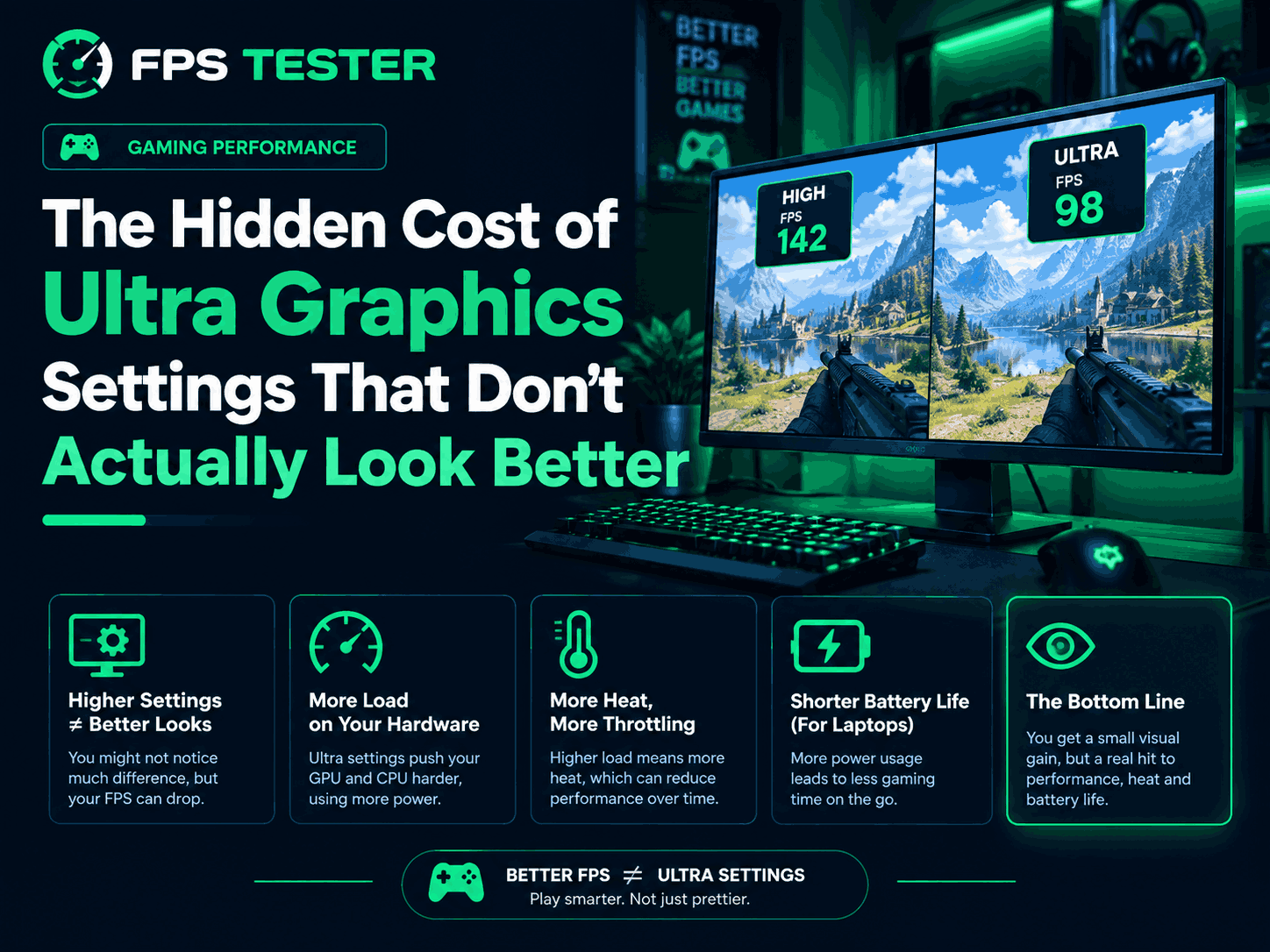
Introduction
Let's be honest.
Most of us have done this at least once. You install a new game, open the graphics menu, and immediately move every setting to Ultra.
It feels like the right thing to do.
After all, if Ultra is the highest setting, it should give the best experience, right?
Not always.
Here's the thing. Many Ultra settings can lower your FPS quite a bit while making changes that are almost impossible to notice during normal gameplay. You might lose 20, 30, or even more FPS just to make a shadow slightly sharper or a reflection slightly clearer.
And while screenshots may show the difference, actual gameplay often doesn't.
That's why many experienced PC gamers don't automatically choose Ultra anymore.
Let's look at where your FPS is really going and which settings are often not worth the performance cost.
1. Why Everyone Chooses UltraThe reason is simple.
Most people think:
Low = bad
Medium = okay
High = good
Ultra = best
That sounds logical.
If you spent money building or buying a gaming PC, you naturally want the best graphics possible.
But game developers often design Ultra settings to show off what's possible, not necessarily what's practical.
In real gameplay, you're moving around constantly.
You're fighting enemies.
You're driving.
You're exploring.
You're not standing still staring at tiny details in the distance.
2. High vs Ultra: The Difference Is Usually Smaller Than You ThinkThis surprises a lot of gamers.
In many modern games, the jump from Medium to High is easy to notice.
The jump from High to Ultra?
Not so much.
For example:
High Settings
Smooth gameplay
Great visuals
110 FPS
Ultra Settings
Almost the same visuals
Lower FPS
85 FPS
Can you see the difference?
Maybe.
Can you feel the difference?
Absolutely.
That's why many gamers prefer High settings instead of Ultra.
3. The Settings That Usually Hurt FPS the MostNot every graphics setting affects performance equally.
Some barely change FPS.
Others can destroy it.
Let's start with the biggest offenders.
4. Shadow QualityShadow settings are one of the most common FPS killers.
Ultra shadows usually make:
Shadows sharper
Shadows visible from farther away
Small details more accurate
Sounds great.
But here's the reality.
Most people don't spend their time looking at shadows while playing.
They're focused on:
Enemies
Objectives
Movement
The action happening on screen
Meanwhile, your GPU is working much harder just to improve something most players barely notice.
For many games, High shadows look almost identical to Ultra.
5. Volumetric EffectsThis controls effects such as:
Fog
Smoke
Sun rays
Atmospheric lighting
These effects can look beautiful.
The problem is that they're also very demanding.
A lot of games lose a noticeable amount of FPS when volumetric settings are pushed to Ultra.
High often looks great already.
Ultra usually looks only a little better.
That's not always worth the performance hit.
6. Ray TracingRay tracing gets a lot of attention.
And to be fair, it can look amazing.
Lighting feels more realistic.
Reflections look better.
Some scenes become incredibly detailed.
But ray tracing is also one of the biggest FPS killers in modern gaming.
In some games, simply turning it on can reduce performance dramatically.
The funny thing is that many players only notice the improvement when comparing screenshots.
During fast gameplay, the difference can be much harder to spot.
That doesn't mean ray tracing is bad.
It just means you should decide if the FPS loss is worth it for you.
7. Reflection QualityReflection settings affect things like:
Water
Glass
Wet roads
Shiny surfaces
Ultra reflections can definitely look nice. But think about how often you're actually paying attention to reflections while playing.
Probably not very often. Most players are focused on the game itself.
Dropping reflections from Ultra to High often gives back FPS with almost no noticeable visual loss.
8. Ambient OcclusionThis setting adds tiny shadows around objects and corners.
It helps scenes look more natural.
The effect is nice.
But here's the truth.
Most gamers couldn't identify ambient occlusion if you asked them to point it out during gameplay.
Going from High to Ultra usually doesn't create a huge visual improvement, but it can still cost FPS.
9. Draw DistanceDraw distance controls how far away objects remain visible.
In open-world games, this can be expensive.
Ultra settings might keep:
Trees
Buildings
Objects
Terrain details
visible at extremely long distances.
The problem?
Most of the time you're not looking that far away.
Your GPU still has to render those extra details, though.
That's where FPS gets lost.
10. Motion BlurMotion blur is different.
It doesn't usually hurt FPS as much as other settings.
The bigger question is whether you even like it.
A lot of PC gamers disable motion blur immediately.
Some players love it.
Others hate it.
If you don't like how it looks, there's no reason to leave it enabled.
11. Why Higher FPS Often Feels BetterHere's something every gamer notices.
Higher FPS feels good.
You get:
Smoother movement
Faster response
Better control
Less input delay
Now compare that to slightly sharper shadows or reflections.
Which one improves your experience more?
For most people, the answer is easy.
Smooth gameplay usually wins.
12. Competitive Players Already Understand ThisWatch professional players.
Many don't use Ultra settings at all.
Some even use surprisingly low settings.
Why?
Because performance matters.
Higher FPS means:
Faster reactions
Smoother gameplay
Better visibility
Less distraction
Competitive players care more about performance than making the game look perfect.
13. How to Find the Best SettingsYou don't need Low settings.
You also don't need Ultra.
The sweet spot is usually somewhere in the middle.
Try this:
Step 1
Set everything to High.
Step 2
Play the game for a few minutes.
Check:
FPS
Smoothness
System usage
Step 3
Increase settings one at a time.
Step 4
Ask yourself:
"Can I actually see the difference?"
If the answer is no, keep the lower setting.
It's that simple.
14. Settings to Lower FirstNeed extra FPS?
Start with these:
Ray Tracing
Shadows
Volumetric Effects
Reflections
Ambient Occlusion
Draw Distance
These settings usually have the biggest performance impact.
15. Settings You Can Usually Leave HighThese often provide good visuals without hurting FPS too much:
Texture Quality
Model Quality
Anisotropic Filtering
Basic Lighting
Every game is different, but these settings are generally worth keeping higher.
Signs Your Settings Are Too HighWatch for these warning signs:
Constant FPS drops
Stuttering
GPU running at 99%
Loud fan noise
Higher temperatures
Input lag
If you're seeing several of these, your settings may be too aggressive.
Frequently Asked QuestionsDo Ultra settings always look better?
Technically yes, but the improvement is often very small during actual gameplay.
How much FPS can Ultra settings cost?
Depending on the game, it can be anywhere from a few FPS to dozens of FPS.
Which setting hurts FPS the most?
Ray tracing, shadows, volumetric effects, and reflections are usually the biggest performance killers.
Is High better than Ultra?
For many gamers, yes. High settings often look nearly identical while providing better FPS.
Should competitive players use Ultra settings?
Usually no. Most competitive players prioritize smooth performance and responsiveness.
Can lowering a few settings really improve FPS?
Absolutely. Sometimes changing just a few settings can recover a surprising amount of performance.
Conclusion
Here's the simple truth.
Higher settings don't always mean a better gaming experience. Many Ultra settings ask your GPU to do a lot more work while giving only tiny visual improvements.
If lowering a few settings gives you smoother gameplay and an extra 20 or 30 FPS, that's usually a good trade. Don't worry about maxing everything out. Focus on the settings that actually make a visible difference. Your eyes probably won't notice the change.
But your FPS counter definitely will.