What is Mouse Polling Rate? 125Hz vs 500Hz vs 1000Hz Explained
July 11, 2026
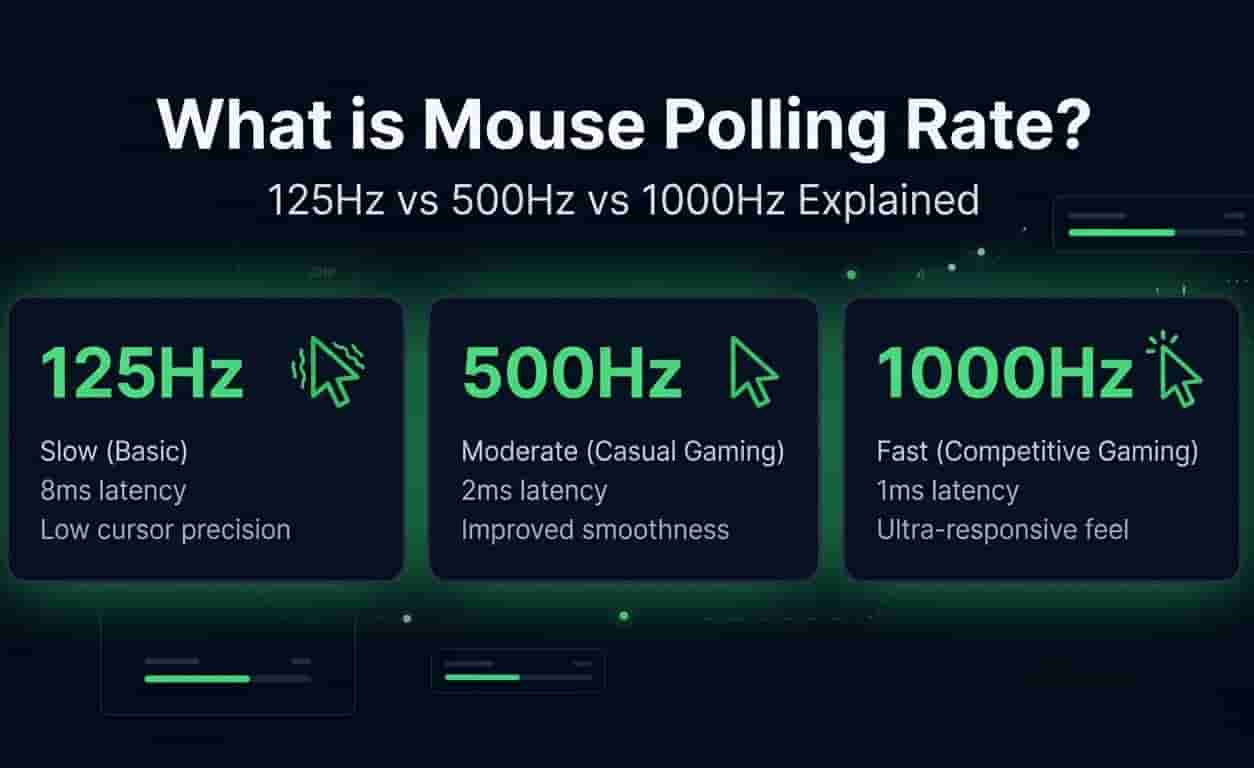
Ever shopped for a gaming mouse? You've probably seen "1000Hz polling rate" plastered all over the box. It sounds impressive, right? But what does it actually mean?
Here's the thing manufacturers love throwing numbers at you. They want you to think bigger number = better mouse. But is that really true?
More importantly, will a higher polling rate actually make you a better gamer? Or is it just marketing trick?
I've tested different polling rates myself. And honestly? The answer isn't as simple as you might think.
What is Mouse Polling Rate?
Polling rate is how often your mouse reports its physical position to your computer.. Every time you move your mouse, it sends a signal to your PC updating its position. This happens constantly.
The frequency of these updates is measured in Hertz (Hz).
Here's the breakdown:
125Hz = Your mouse reports its position 125 times per second
500Hz = Your mouse reports its position 500 times per second
1000Hz = Your mouse reports its position 1000 times per second
Higher polling rate = faster updates = less delay between you moving the mouse and seeing the cursor move on screen.
Think of it like this imagine someone asking you for directions. If they ask once per second, you're giving updates slowly. If they ask 1000 times per second, you're giving updates constantly. That's what your mouse does with your computer.
Polling Rate vs. Response Time (The Numbers)
To understand how polling rate affects input lag, you have to look at the delay in milliseconds (ms). Here is how the most common polling rates break down:
125Hz vs 500Hz vs 1000Hz: Which Is Best?
Higher isn't always better for everyone. It depends on what you're doing.
125Hz (Standard Office Mice)
This is what you'll find in cheap, non-gaming mice. Also standard for most Bluetooth mice.
What it feels like:
Fine for browsing the web
Good for typing documents
Works for scrolling social media
The problem:
If you try playing fast-paced shooters, you'll notice it. Crosshair movements feel floaty. Slightly delayed. It's like your mouse is moving through mud.
Who should use 125Hz:
Office workers
Casual web browsing
Anyone not gaming
500Hz (The Sweet Spot)
This drops the delay to just 2 milliseconds. For most people, this is incredibly smooth.
What it feels like:
Noticeably smoother than 125Hz
Great for everyday use
Works well for most games
Who should use 500Hz:
Casual gamers
Strategy and RPG players
Anyone using a 60Hz monitor
Wireless mouse users who want better battery life
Honestly? Most people won't notice the difference between 500Hz and 1000Hz. It's that close.
1000Hz (The Gaming Standard)
This is the modern standard for competitive gaming. 1ms delay means your mouse movements are essentially instant.
What it feels like:
Instant response
Perfect tracking
No noticeable delay
Who should use 1000Hz:
Competitive gamers
CS:GO, Valorant, Apex Legends players
Anyone with a high-refresh monitor (144Hz+)
The bottom line: If you play competitive shooters on a fast monitor, go with 1000Hz. It ensures your mouse keeps up with your screen.
Is Higher Always Better? (The Downsides)
Recently, companies started releasing 4000Hz and even 8000Hz mice. Sounds amazing, right? 0.25ms delay! But there are some catches.
1. High CPU Usage
Every time your mouse reports its position, your CPU processes that data.
1000Hz mouse = CPU gets 1000 requests per second
8000Hz mouse = CPU gets 8000 requests per second
The problem:
On older or weaker processors, this can actually cause stuttering. Your game might even lose FPS. So instead of better performance, you get worse performance.
Who should be careful:
Older PCs
Budget laptops
Anyone with a weaker CPU
2. Battery Drain (Wireless Mice)
Higher polling rates drain batteries faster. Much faster.
Real-world example:
A mouse that lasts 100 hours at 500Hz might only last 20 hours at 4000Hz. That's a huge difference.
What to consider:
Are you okay charging more often?
Do you need that extra speed?
Is battery life more important to you?
3. Diminishing Returns
Here's the truth humans can only perceive so much.
The numbers:
125Hz to 1000Hz = 7ms delay reduction (noticeable)
1000Hz to 4000Hz = 0.75ms delay reduction (barely noticeable)
Most people can't tell the difference between 1ms and 0.25ms. It's biologically impossible for most of us.
The verdict: 1000Hz is the sweet spot. Going higher gives you benefits you can't even see.
How to Test Your Current Mouse Polling Rate
Not sure what speed your mouse is running at? You can test it easily.
Here's what to do:
Open a mouse rate tester
Move your mouse in quick, continuous circles
Watch the live reading
The maximum number you hit is your current polling rate
If your gaming mouse maxes out at 125Hz:
Download the manufacturer's software (Logitech G Hub, Razer Synapse, etc.)
Find the polling rate setting
Manually increase it to 500Hz or 1000Hz
Pro tip: Test it with different USB ports. Some ports can affect polling rates.
Frequently Asked Questions (FAQ)
Does higher polling rate improve aim?
Slightly. Lower delay means more accurate tracking. But it won't magically make you a pro. Practice matters more.
Can I use 1000Hz on a 60Hz monitor?
Yes. It helps with smoothness. But the difference between 500Hz and 1000Hz is harder to notice on 60Hz.
Does polling rate affect battery life?
Yes. Higher polling = faster battery drain. Wireless mice users should consider this.
Can my PC handle 4000Hz polling rate?
Depends on your CPU. Newer processors are fine. Older ones might struggle.
Is 8000Hz worth it?
Probably not for most people. The improvement over 1000Hz is tiny. Save your money and battery.
Conclusion
Alright, let's wrap this up.
What polling rate should you use?
Office work: 125Hz is fine
Casual gaming: 500Hz is perfect
Competitive gaming: 1000Hz is the sweet spot
Key takeaways:
Higher polling = less delay
125Hz = 8ms delay (basic)
500Hz = 2ms delay (great)
1000Hz = 1ms delay (best for gaming)
Higher than 1000Hz = diminishing returns
Here's the honest truth:
1000Hz is the sweet spot. It gives you instant response without overloading your CPU or killing your battery. It's the standard for competitive gaming for a reason.