Why Changing Your Video's FPS Can Make It Look Worse (Not Better)
August 28, 2026
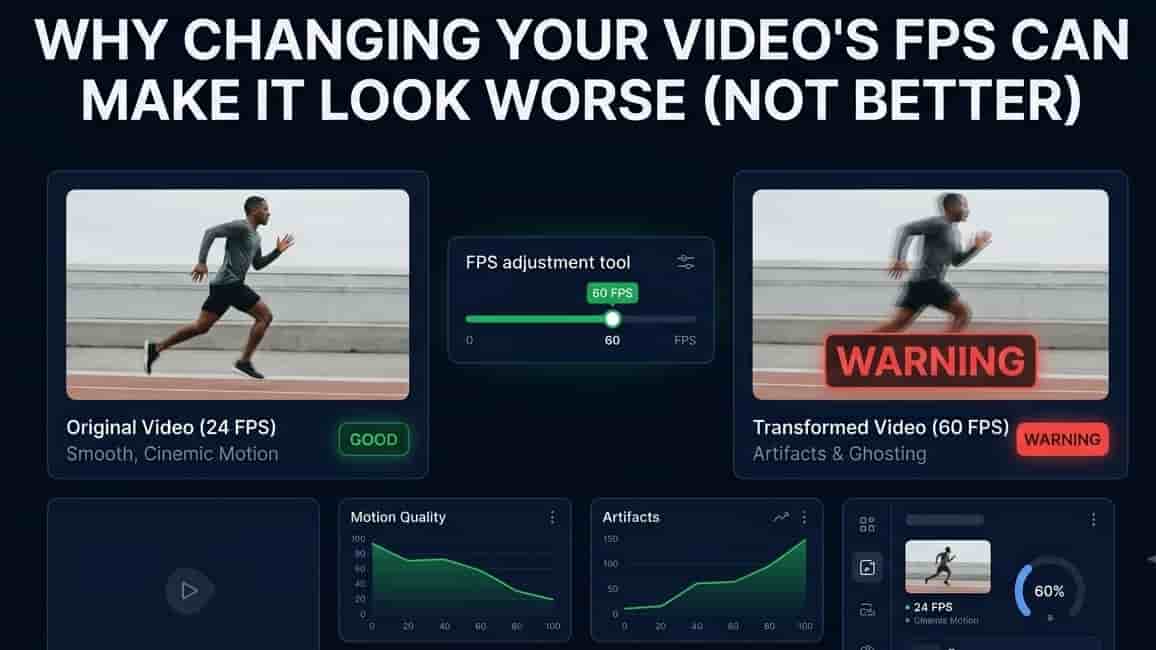
You convert a video from 30fps to 60fps hoping it'll look smoother, and instead it looks worse. Motion looks jerky, or weirdly smeared, or like it's stuttering every few seconds. So now you're wondering: is changing FPS just always a bad idea?
Not exactly. The truth is, "changing FPS" isn't one single process. There are three completely different ways software can do it, and they behave very differently. Once you know which one you're using, you can predict whether your video is going to look great or look broken, before you even hit convert.
FPS isn't magic, it's just frame math
Let's start simple. FPS (frames per second) just means how many still images are shown to your eyes every second to create the illusion of motion. A 30fps video shows 30 pictures per second. A 60fps video shows 60.
Here's the part people don't think about: if you take a video that was recorded at 30fps and you want to turn it into a 60fps file, your software has to somehow come up with twice as many pictures as it started with. Those extra frames don't exist in the original footage. Something has to create them, or fake them. That "something" is where quality either survives or falls apart.
The three ways software actually does this
1. Frame dropping (for going lower)
This is the simplest method, used when you're lowering the FPS say, 60fps down to 30fps. The software just throws away every other frame. No fancy math, no guessing. It literally deletes frames it doesn't need.
This works fine most of the time, because you're just showing fewer of the frames you already have. The risk shows up with fast motion: if something was moving quickly across the screen, skipping frames can make that motion look slightly choppier, since you're seeing fewer snapshots of it. For most everyday footage, though, frame dropping barely causes a noticeable issue.
2. Frame duplication (for going higher, the cheap way)
This is the simplest method for raising FPS, and it's also the one most likely to disappoint you. To go from 30fps to 60fps, the software just copies each existing frame and shows it twice. You end up with 60 frames per second technically, but only 30 unique images, each one just gets shown twice in a row.
The number on the file says 60fps, but nothing actually moves any smoother, because there's no new information between those duplicated frames. Worse, on displays or players that expect real motion data, duplicated frames can cause a visible stutter or "judder," especially on faster-moving footage. This is the single biggest reason people try to raise FPS and end up disappointed with the result.
3. Frame interpolation (for going higher, the smart way)
This is the method that can actually create real smoothness. Instead of just copying a frame, the software looks at two frames next to each other, figures out what moved and in which direction, and generates a brand new, made-up frame that sits logically in between them. Do this enough times and you get real, smooth motion at the new higher frame rate.
This is genuinely impressive when it works. The catch is that it's a guess, not a fact. The software is predicting what the in-between moment probably looked like, based on movement patterns. Most of the time it guesses well. But it can struggle with:
Fast, complex motion (like sports or action scenes), where the guess can turn into a slightly warped or "melty" look around moving edges
Scene cuts and sudden lighting changes, where there's no sensible "in between" frame to invent
Very detailed, busy footage, where the software has too much information to track cleanly
This is also usually the slowest and most computer-intensive of the three methods, since it involves real calculation rather than just copying or deleting frames.
So which one should you actually use?

A simple way to think about it
If you're going down in FPS, you're mostly safe. You're removing frames you already have, and there's not much room for things to look strange.
If you're going up in FPS, ask yourself one question: is the software actually inventing new frames, or just repeating old ones? If it's just repeating, you'll get a bigger file with a bigger number attached to it, but the motion itself won't actually be any smoother. That's the trap almost everyone falls into the first time they try raising FPS.
Why this matters even if you're not editing videos professionally
This isn't just an editor's problem. It comes up in a lot of everyday situations:
Uploading clips to social platforms. Some platforms cap or convert FPS automatically, and if your original clip and the platform's target FPS don't divide evenly (like 24fps into a 30fps target), you can end up with uneven frame duplication without even realizing it, which shows up as tiny stutters.
Recording gameplay or screen captures. If your recording software drops or duplicates frames to hit a target FPS instead of recording real frames at that rate, your footage can look stuttery even though the file says a smooth number like 60fps.
Watching old footage on modern TVs. Many TVs do real-time frame interpolation to "smooth" older, lower-FPS content. This is the same technology described above, just happening live instead of during editing, which is also why some interpolated TV footage has that odd, slightly artificial "soap opera" look people talk about.
How to check what you're actually getting
Before you commit to a big export, it helps to test on a short clip first rather than your whole video. Try converting a 10–15 second sample with our Video FPS Changer tool, and actually watch it back at normal speed, not just glance at a frame or two. Judder and duplication issues are much easier to spot in motion than in a still frame, so give it a proper watch before you convert anything longer.
Frequently asked questions
Is it ever a good idea to convert 24fps to 60fps? It can be, but manage your expectations. Frame interpolation can make it look smoother, but going from 24 to 60 means inventing a lot of new frames, so on fast motion you may notice some softness or minor artifacts around moving objects. It tends to work best on calmer footage.
Why does my converted video look "smoother" but also slightly weird? That's usually frame interpolation doing its job on tricky footage. The motion is smoother, but the invented frames aren't always perfect, which can create a subtle blur or warping around moving edges. This trade-off is normal and depends on how complex the original motion was.
Does raising the FPS improve video quality? Not on its own. FPS is about motion smoothness, not sharpness or detail. A 60fps video isn't automatically clearer or higher resolution than a 30fps one; it just shows more frames per second, and only if those frames are meaningfully different from each other.
Can I always tell which method a piece of software used? Not always from the settings menu alone, since some tools don't label it clearly. The most reliable way is simply watching the result: if fast motion looks choppy despite a higher FPS number, duplication is the likely cause; if it looks smooth but slightly warped around movement, that points to interpolation.
The simple version
Frame dropping removes frames you already have. Safe, simple, mainly used to lower FPS.
Frame duplication copies existing frames to hit a higher number. Cheap and fast, but doesn't create real smoothness.
Frame interpolation invents believable new frames based on motion. The only method that can genuinely smooth things out, but it's a prediction, not a guarantee, especially on fast or complex footage.
Next time an FPS conversion doesn't look the way you expected, it's rarely bad luck. It's almost always one of these three methods doing exactly what it's designed to do, just not the one you actually needed for that particular clip.