Why Your FPS Drops on Hot Days (Room Temperature vs PC Performance)
September 13, 2026
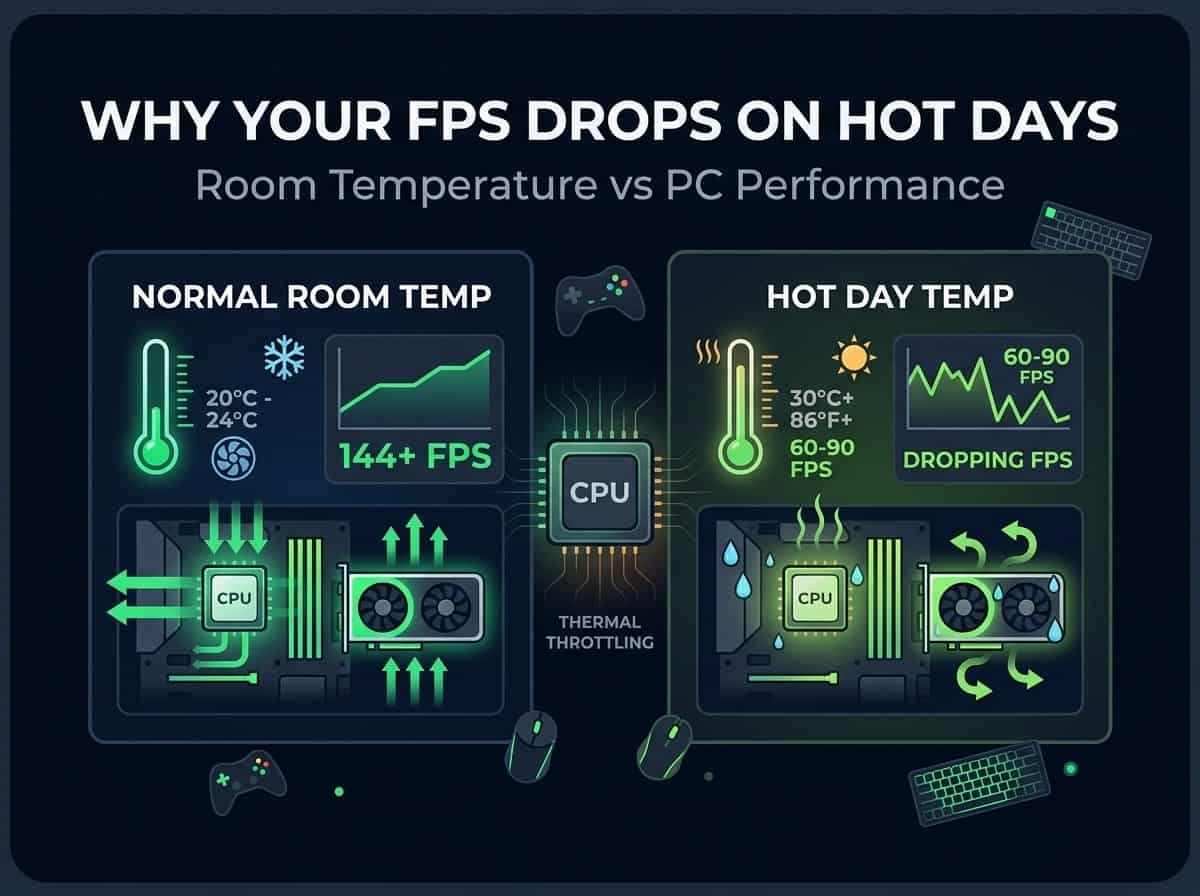
Ever notice your PC just feels slower in summer? Same games, same settings, same everything. Yet, somehow, the FPS just doesn't match what you get in winter.
You're not imagining it. This is real, and it comes down to something people rarely think about: the air around your PC.
Let's talk about why.
Your PC cools itself using the air in the room
Here's the part people forget. Your CPU and GPU don't cool themselves in a vacuum. They dump their heat into the air right around them, using fans and heatsinks.
If that air is already warm, there's less "room" for the heat to go. Simple as that.
Think of it like trying to cool down a cup of hot coffee. In a cold room, it cools fast. In a hot room, it barely cools at all, because the air around it isn't much cooler than the coffee itself.
Your PC works the same way. A cooler room gives your parts more space to dump heat into. A warmer room gives them less.
What actually happens when your PC gets too hot
Your CPU and GPU have a safety feature built in. When they get too hot, they slow themselves down on purpose. This is called thermal throttling.
It's not a bug. It's your PC protecting itself from damage.
But here's the catch. Slower clock speed means fewer frames drawn per second. So your FPS drops, right when your PC is trying to save itself.
Why this hits harder on hot days
On a cooler day, your PC has to work harder before it gets close to its heat limit. There's more buffer.
On a hot day, that buffer shrinks. Your PC hits its heat limit faster, sometimes within just a few minutes of gaming, instead of after a long session.
A few things make this worse:
A warm room to begin with. Rooms without air conditioning, rooms above garages, or small rooms with the TV and console running too, all trap heat.
Poor airflow in your case. Dust-clogged fans or bad case airflow struggle more when the room itself is already warm.
Old thermal paste. The paste between your CPU and its cooler dries out over time, making it worse at moving heat. This becomes more obvious as room temperature rises.
A PC placed somewhere tight. A desk with no space around the case, or a laptop on a soft surface like a bed, blocks airflow even more.
How much of a difference does room temperature really make?
More than most people expect.
Some testing has shown that once ambient room temperature climbs from around 21°C to the mid-30s°C, GPUs start throttling earlier and drop their boost clock speed noticeably, sometimes by a few hundred megahertz. That kind of drop can translate into a real, feelable dip in FPS, especially during longer sessions.
CPUs follow a similar pattern. A high-end CPU running at full boost speed can lose a good chunk of its performance once it crosses its temperature limit, sometimes losing more than 10% of its clock speed to cool itself back down.
And here's the sneaky part: thermal throttling doesn't just lower your average FPS. It also makes your frame timing less even. That's why a game can feel choppy on a hot day even if the FPS number on screen doesn't look that bad.
The signs it's actually room temperature, not something else
A few clues that point specifically to heat as the cause:
FPS is fine at the start, then drops the longer you play. This timing pattern is a classic sign of thermal throttling.
It's worse in summer, or in a specific room, but fine elsewhere. If the exact same PC behaves better in a cooler room, that's a strong clue.
Your fans are noticeably louder than usual. Fans speed up to fight the heat, so louder fans often line up with the FPS drop.
The problem improves with a fan pointed at your PC, or the AC turned on. If a quick fix like this helps even a little, that's basically confirmation.
How to check if this is happening to you
You don't need fancy tools to figure this out. Try this simple test:
Run our FPS Test right after turning your PC on, when everything is cool
Play normally for 20 to 30 minutes, then run the test again
Compare the two results. A noticeable drop points toward heat as the cause, especially if it happens more on hot days than cool ones
Repeat this test on a hotter day and a cooler day, if you can. Seeing a clear pattern between room temperature and your FPS drop is the clearest confirmation you can get without extra software
What you can actually do about it
The good news is a lot of this is fixable without buying new hardware.
Cool down the room itself:
Use a fan or air conditioner to bring the room temperature down, even a few degrees helps
Keep curtains closed during the hottest part of the day if your PC is near a window
Avoid placing your PC right next to other heat-generating electronics, like a TV or game console
Improve airflow around your PC:
Give your case at least a few inches of open space on all sides, don't push it right against a wall
Clean dust out of your fans and vents every few months, dust buildup makes everything worse
Make sure your case has a sensible fan setup, with fresh air coming in and hot air being pushed out
Check your PC's own cooling:
If your PC is a few years old, consider replacing the thermal paste on your CPU, it dries out and loses effectiveness over time
Set your fan curve to be a bit more aggressive if your software allows it, trading a little extra fan noise for cooler temperatures
On a laptop, use a cooling pad, and make sure the vents underneath aren't blocked by a soft surface
As a last resort:
Slightly undervolting your CPU or GPU can reduce heat output without a big performance cost, though it takes a bit of trial and error to get right
If your case is small and cramped, moving to a larger case with better airflow can make a real difference in hot conditions
If you're overclocking your CPU or GPU, dialing it back a bit during summer months can meaningfully reduce how often you throttle, even if it costs a small amount of peak performance
A real example, so this isn't just theory
Picture two identical PCs, same CPU, same GPU, same cooler, same everything.
One sits in an air-conditioned room at around 21°C. The other sits in a warm upstairs room that climbs to 32°C or higher during summer afternoons.
Run the exact same game on both, for the exact same 30 minutes. The PC in the cool room holds its boost clocks steady the whole time, FPS barely moves from where it started. The PC in the warm room starts out identical, but 10 or 15 minutes in, it starts throttling, boost clocks drop, and FPS quietly slides down, sometimes by a noticeable chunk, before leveling off at a lower, more sustainable number.
Same hardware. Same game. The only real difference is the air each one is breathing. That's the whole point of this article in one example.
A quick comparison to make it visual

Frequently asked questions
Is it normal for FPS to drop a little in every gaming session, even in a cool room?
A small amount of throttling is common in almost any system under sustained load. It only becomes a real problem when the drop is big enough to actually feel, or keeps getting worse the longer you play.
Does air conditioning really make a measurable difference?
Yes, and it's one of the simplest fixes available. Even dropping the room by a few degrees can give your PC noticeably more headroom before it needs to throttle.
Will a bigger cooler fully fix this, even in a hot room?
It helps, but there's a limit. A cooler can only move heat into the surrounding air. If that air is already very warm, even a great cooler runs out of room to work with eventually.
Does this affect laptops more than desktops?
Generally yes, since laptops have far less internal space for airflow to begin with. A warm room pushes an already-tight laptop cooling system closer to its limit faster than it would a desktop.
Can dust alone cause this, even in a cool room?
Yes, dust-clogged fans and vents reduce cooling efficiency on their own, regardless of room temperature. It's worth checking and cleaning your PC even if you're in a nicely air-conditioned room.
Does this happen even with a top-of-the-line cooler?
It can, just at a higher room temperature than a budget cooler would need. Every cooler eventually runs into a ceiling if the surrounding air keeps climbing, even the best ones just push that ceiling a bit higher.
Is there a specific room temperature I should aim to stay under?
There's no single perfect number since it depends on your specific hardware, but many people find things stay comfortable and stable somewhere in the low-to-mid 20s°C. Above the high 20s°C is where you'll more commonly start noticing some throttling on demanding hardware.
The simple version
Your PC cools itself using the air around it, so a warmer room genuinely means worse cooling
When your CPU or GPU gets too hot, it slows itself down on purpose, called thermal throttling, and that's exactly what causes the FPS drop
This shows up as FPS that's fine at first, then drops the longer you play, especially in summer or in a warm room
Simple fixes like cooling the room, cleaning dust, and improving airflow can make a real, noticeable difference
Testing your FPS right at startup versus after 20-30 minutes is the easiest way to confirm whether heat is actually your problem
So no, it's not just in your head. Hot days really do cost you frames, and now you know exactly why.